To begin, log in to your account, touch the Deposit option on the main page, and choose Transfer as your payment method.
Step 2: Click “Enter amount“
Enter the amount you want to add to your wallet as a top-up. You can select a predetermined sum or type a custom value. There is a minimum deposit required.
Step 3: Click “Select Bank” and submit
From the list of supported banks, pick your favorite bank. After making your selection, click Submit to be safely taken to the online banking payment portal.
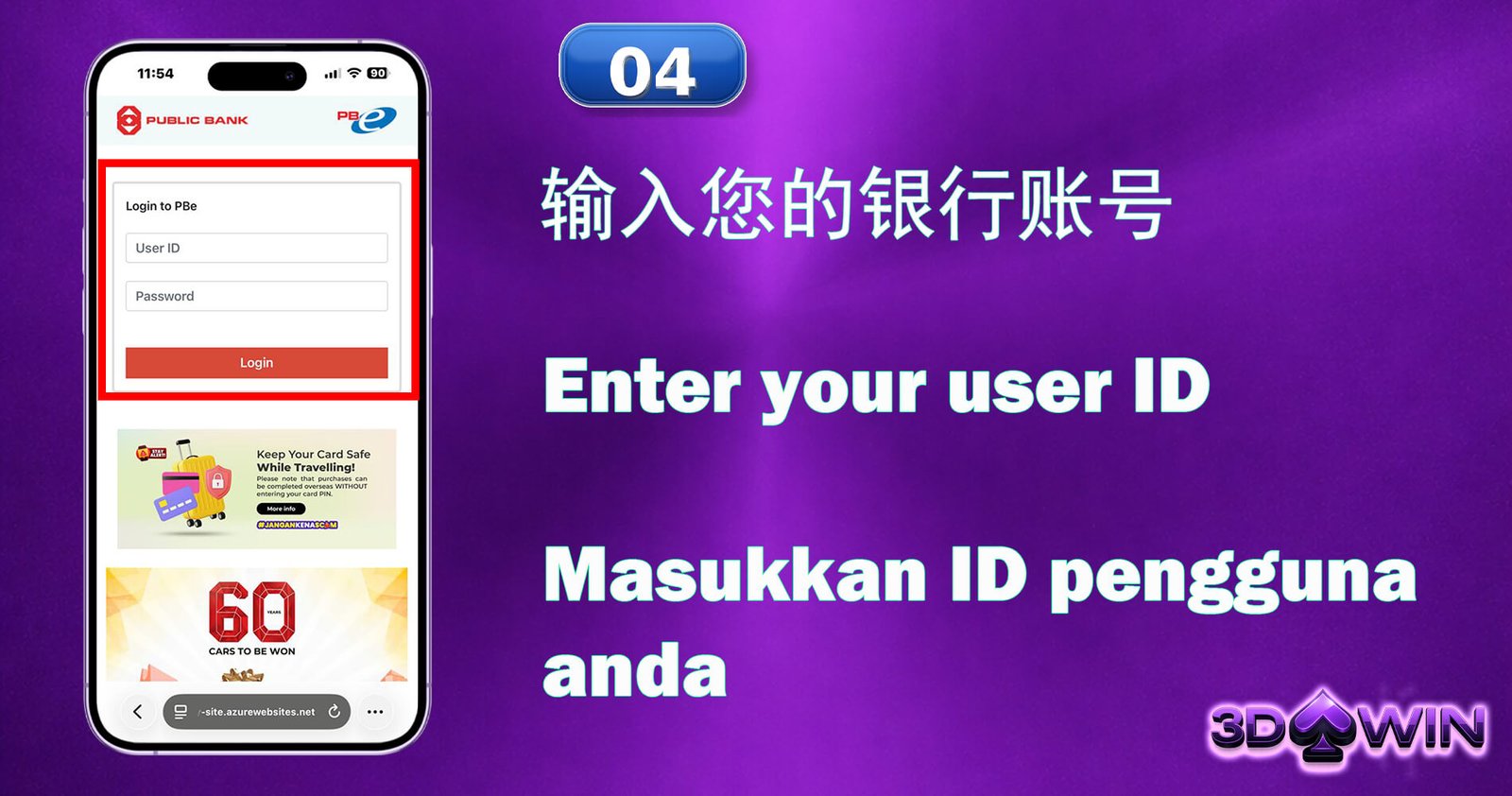
Step 4: Enter your user ID
You will be taken to the secure login page for the bank of your choice. To continue with the transaction authentication, enter your online banking User ID and password.
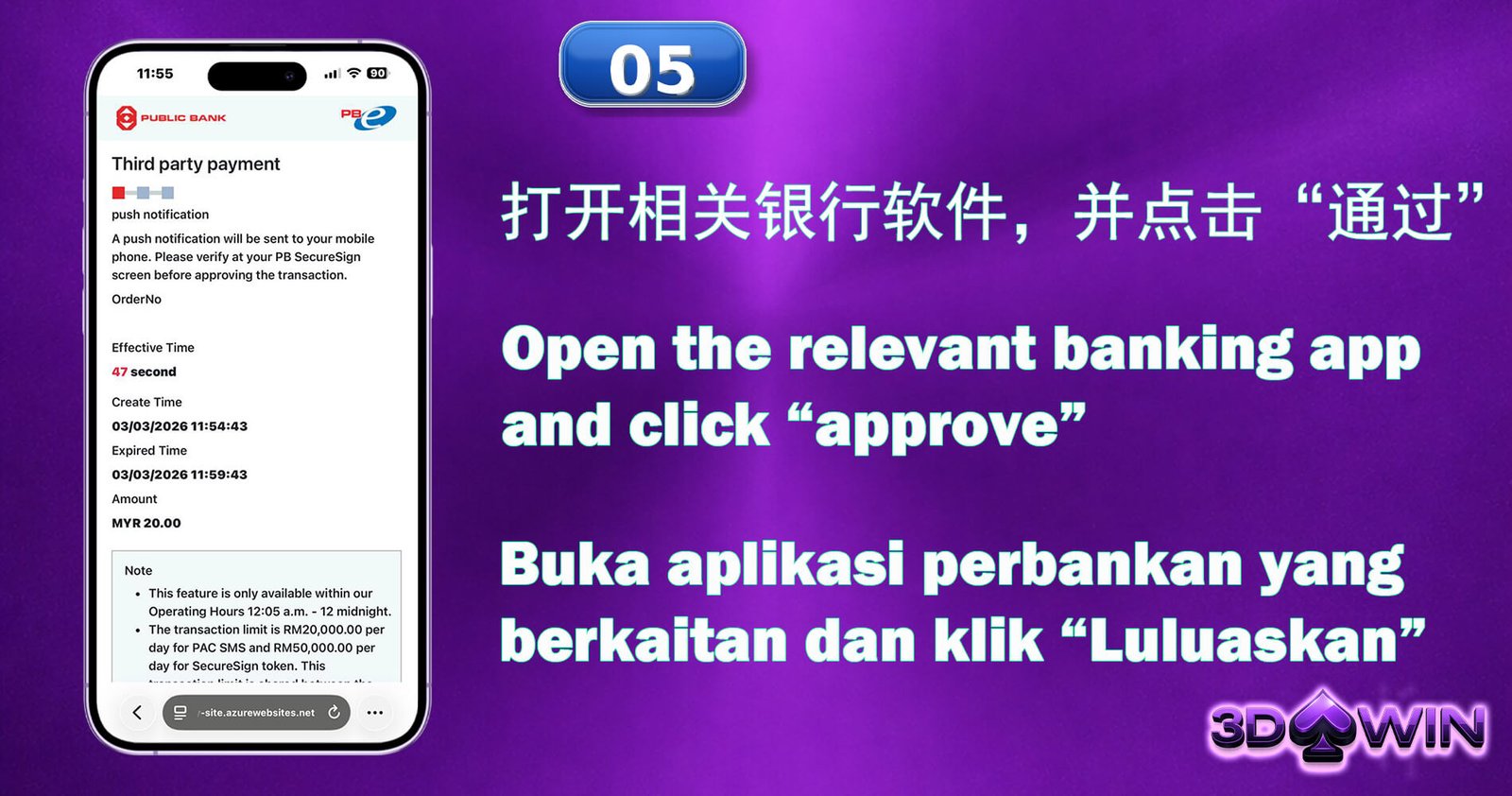
Step 5: Open the relevant banking app and click “approve”
Launch the official mobile banking app for your bank. To safely confirm and authorize the deposit transaction, press Approve when the payment approval message appears.
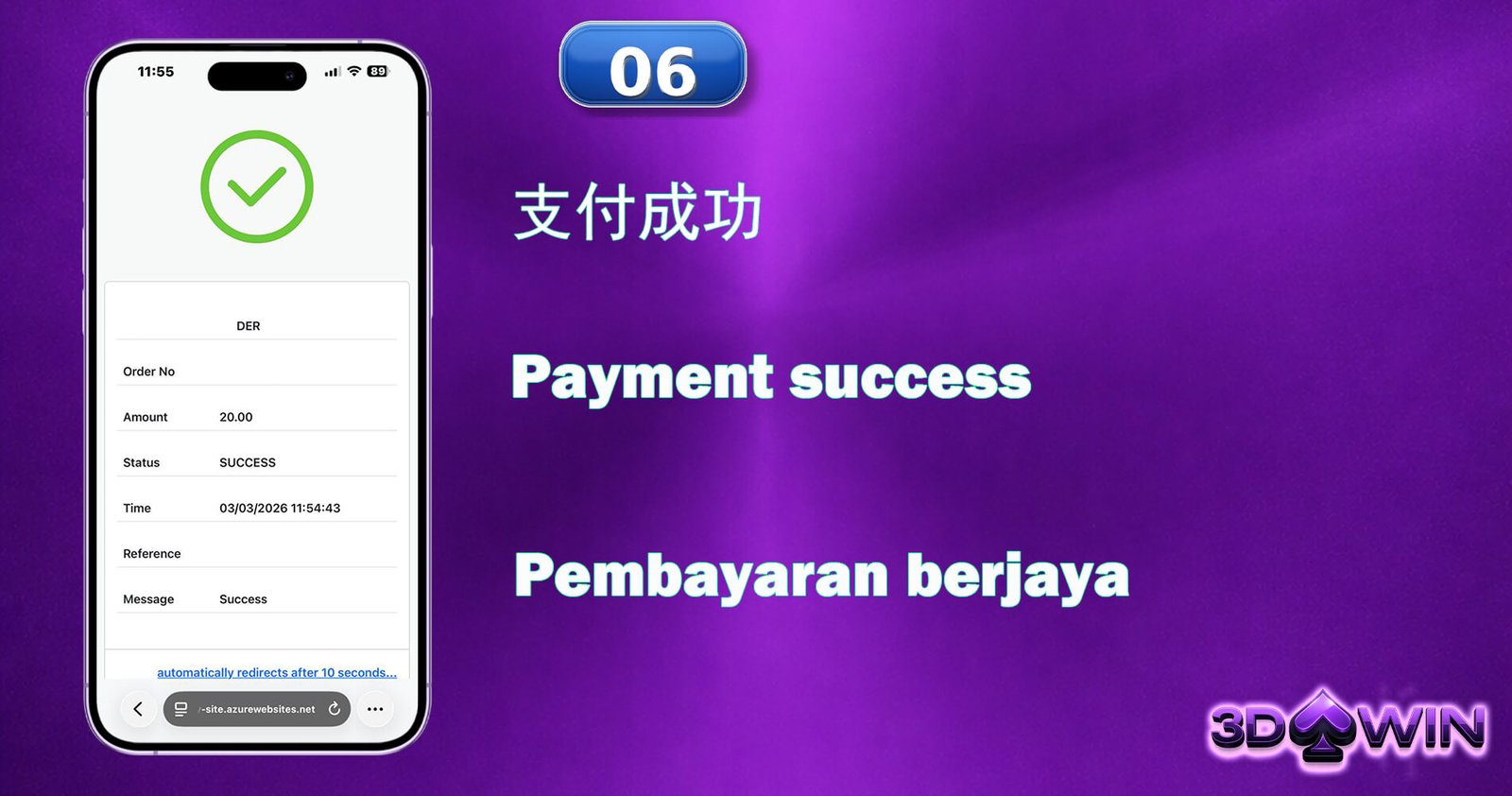
Step 6: Payment success
Your deposit is finished! Your wallet has been instantly credited. Now that you’re prepared, go ahead and enjoy all of your favorite games!
Step 1: Click "Me", Click "Transfer"
To start the fund transfer process, log into your account, select the Me section from the bottom menu, and then select Transfer.
Step 2: Click From "Game Wallet" To "Main Wallet"
Select Game Wallet as the source and Main Wallet as the destination on the Transfer screen. This returns your game credits to your primary balance prior to withdrawal.
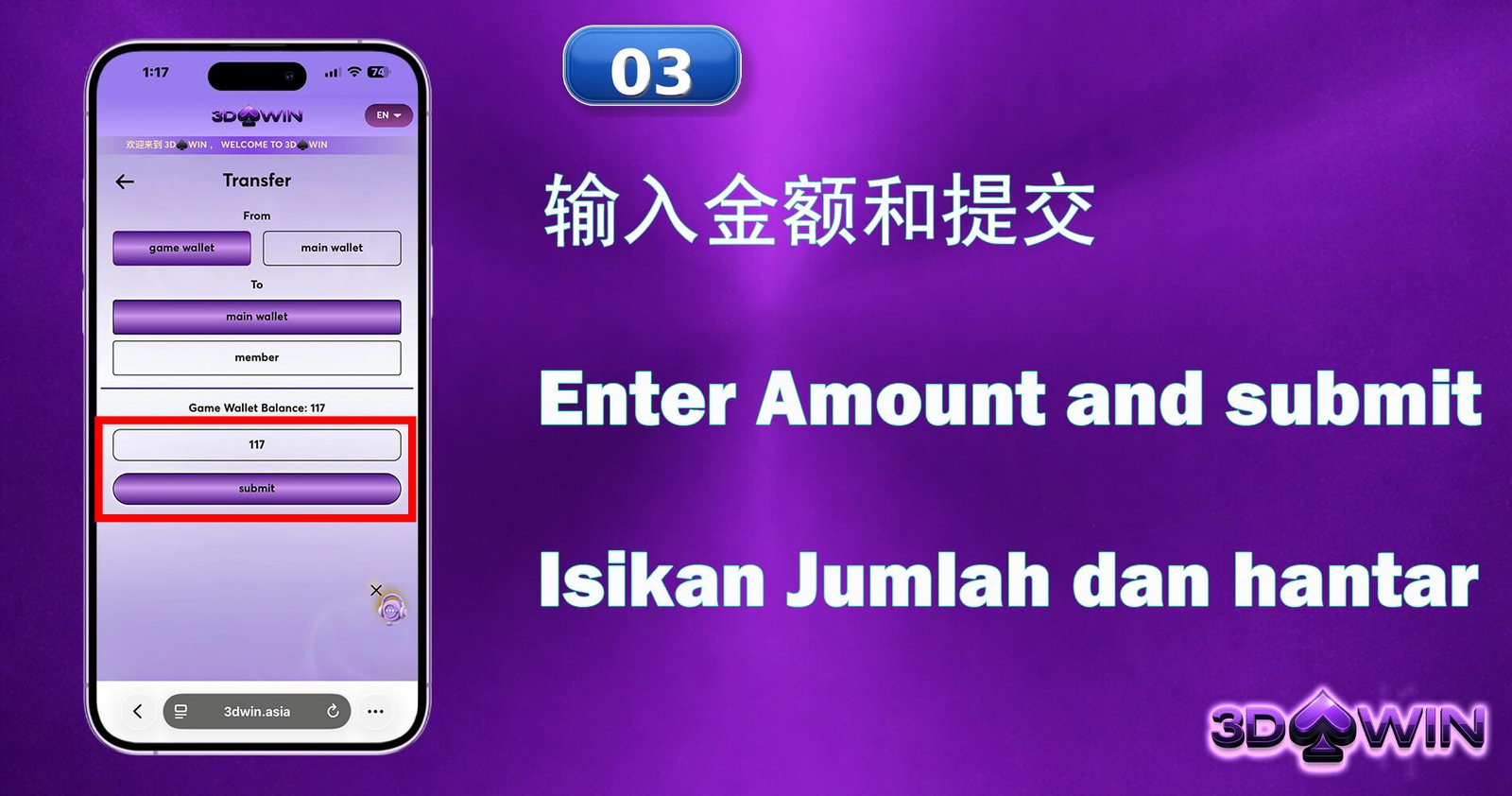
Step 3: Enter Amount and Submit
To start the fund transfer process, log into your account, select the Me section from the bottom menu, and then select Transfer.
Step 4: Click Confirm
Examine the specifics of your transfer on the confirmation screen. To finish the wallet transfer, press Confirm once everything appears to be in order.
Step 5: Success Transfer to "Main Wallet"
The transfer of your gaming credits to your Main Wallet has been completed. The balance in your Main Wallet has been updated and is now available for withdrawal.
Step 6: Click "Me", Click "Withdraw"
To start the process of transferring money from your Main Wallet to your bank account, return to the Me section and choose Withdraw this time.
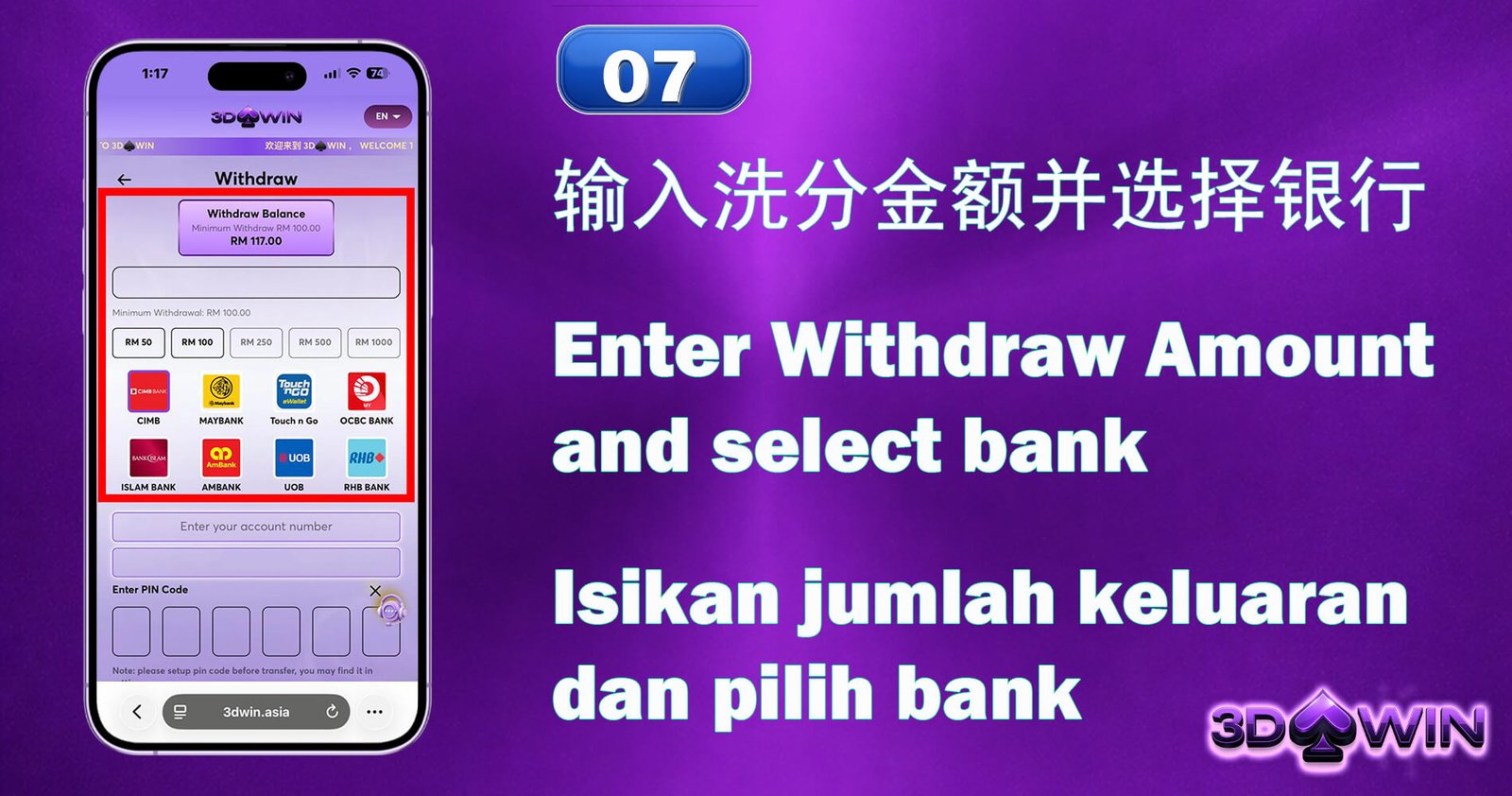
Step 7: Enter Withdraw Amount and Select Bank
After entering the desired withdrawal amount, choose your preferred bank from the list. Verify that the sum satisfies the minimum withdrawal criteria.
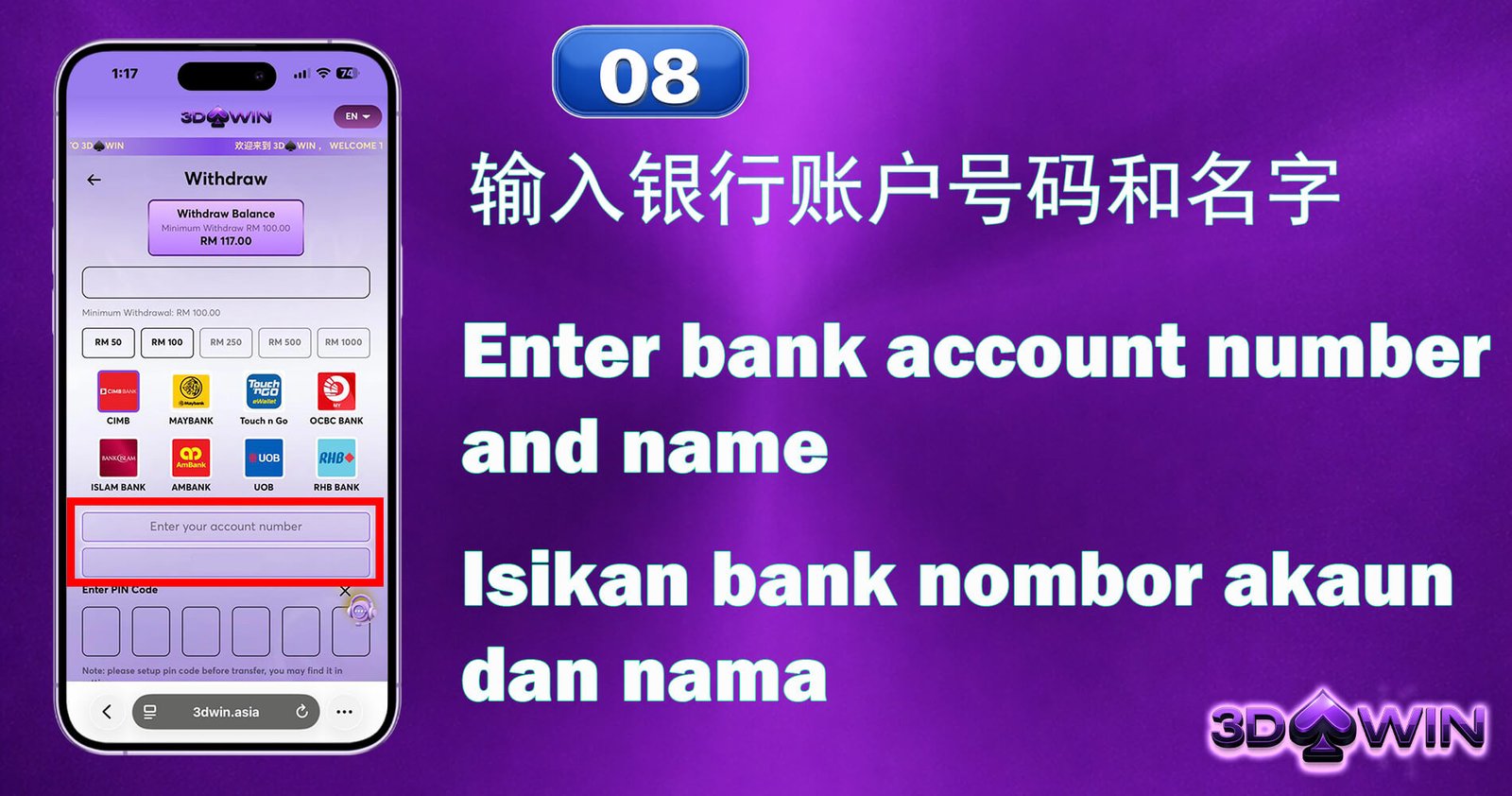
Step 8: Enter Bank Account Number and Name
Enter your complete account name and bank account number precisely as they are registered with your bank. Verify again to prevent transactions from failing.
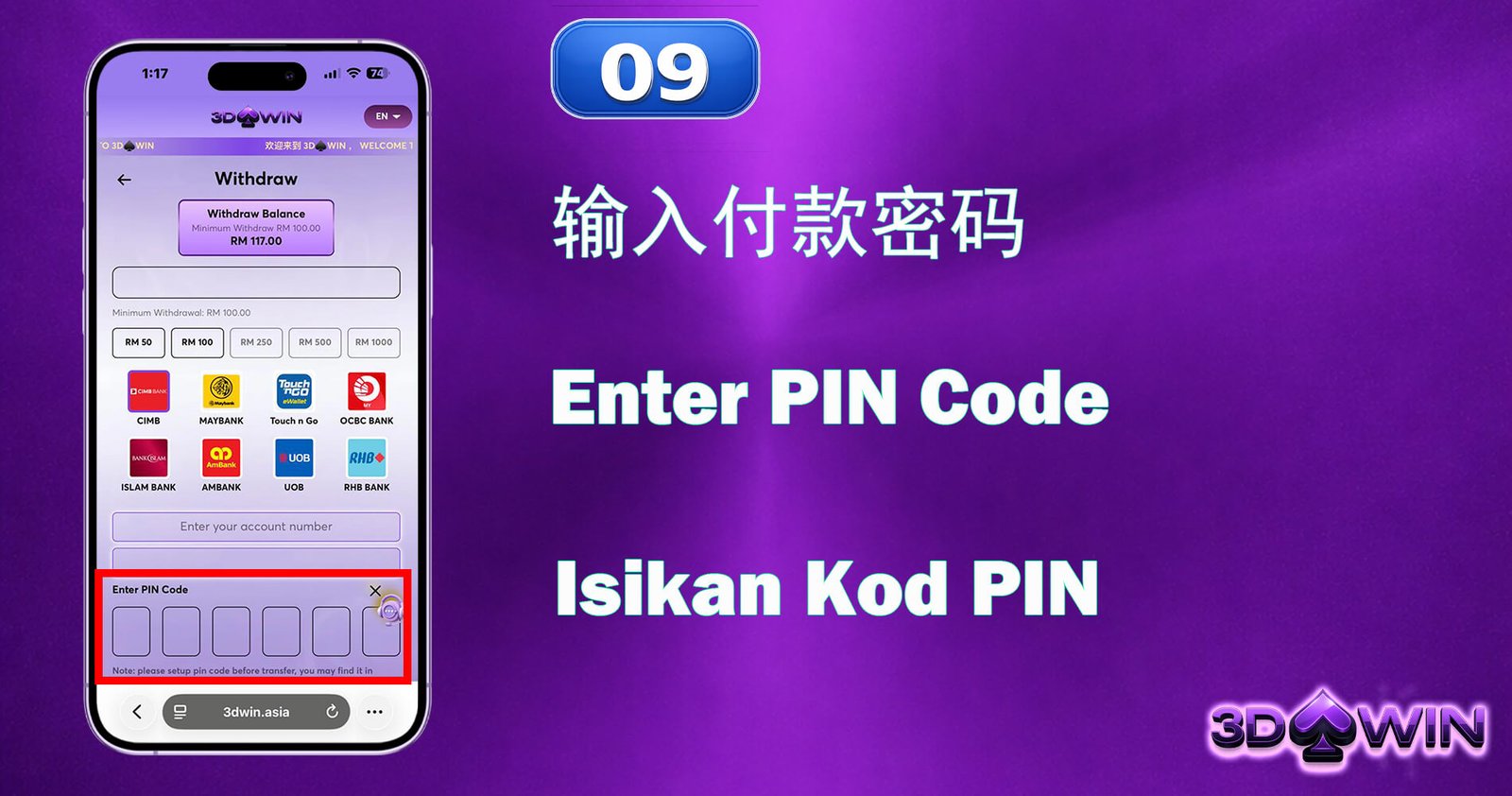
Step 9: Enter PIN Code
To verify and approve the withdrawal request, enter your secure six-digit PIN. Never divulge your PIN to anyone and keep it confidential.
Step 10: Withdraw Has Been Submitted
We’ve successfully processed your withdrawal request! After processing, money will be moved to your bank account. Please be patient while we process your request.